Appearance

将npm包发布在私有仓库nexus中
有时候需要将自己写的一些前端项目打包发布到公司内部的 nexus 仓库中 私服搭建地址:https://www.jianshu.com/p/1cfbc1518fce
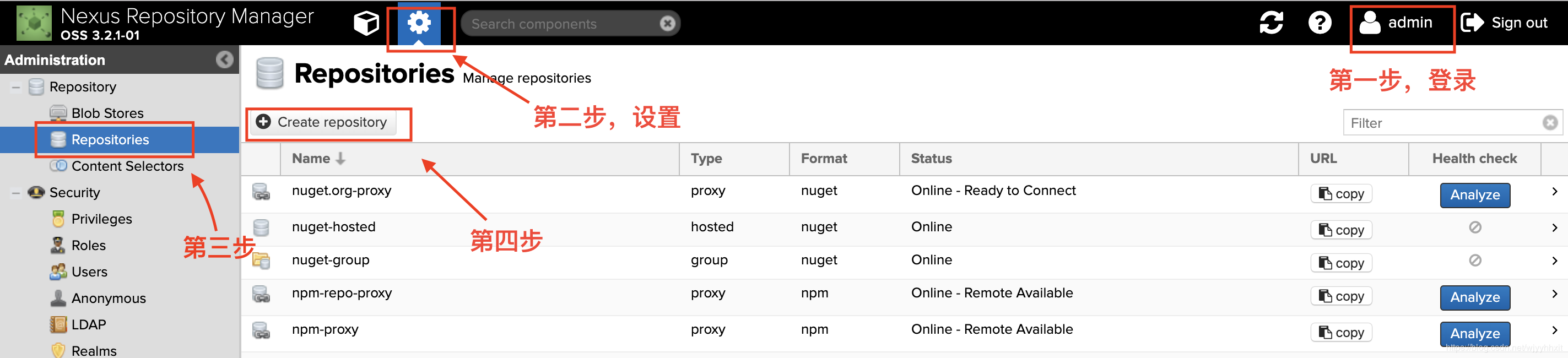
在 nexus 中新建一个 repository
打开 nexus,登录以后,按照下图操作
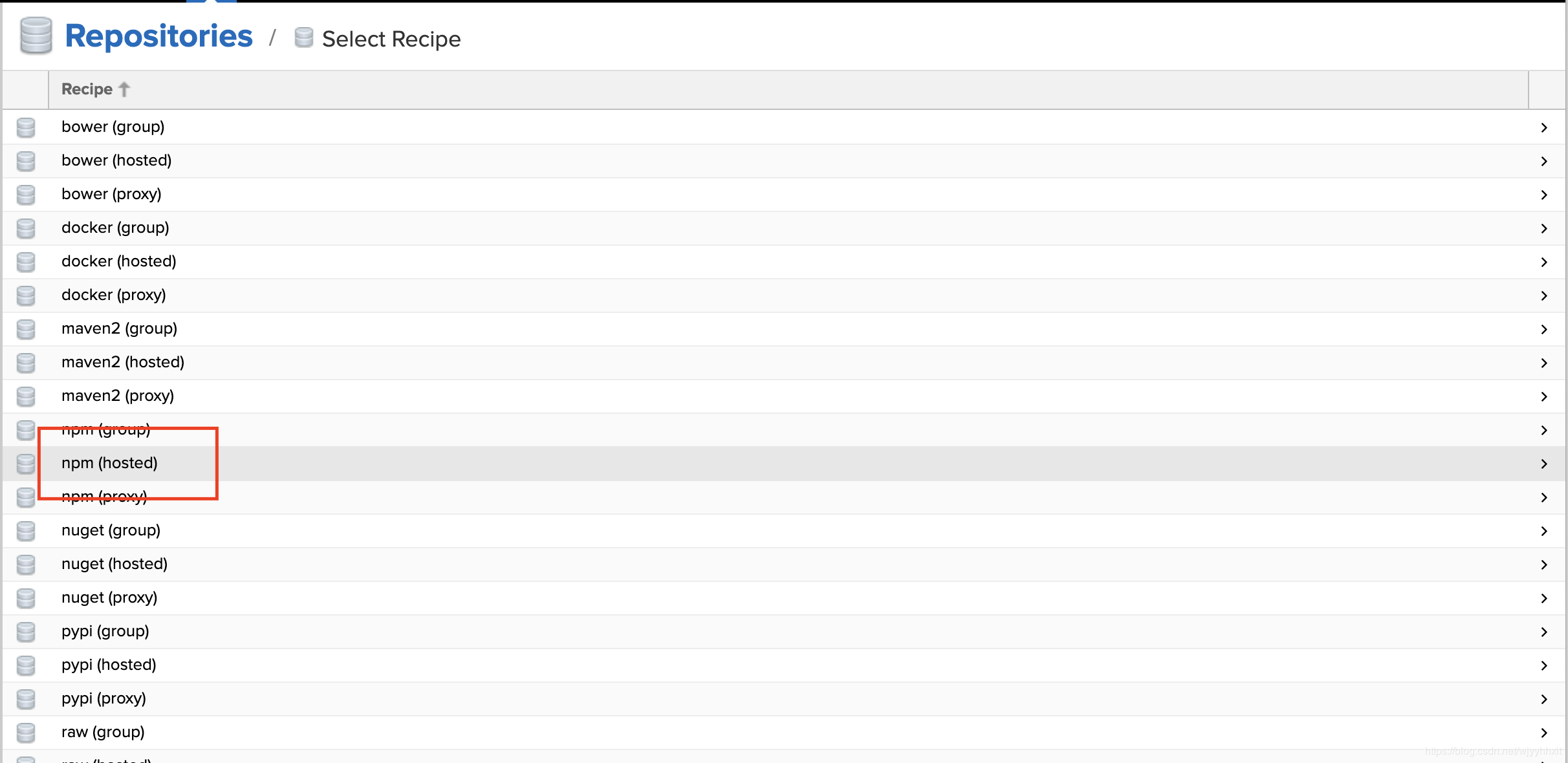
选择 npm (hosted)
填写 repository 相关信息
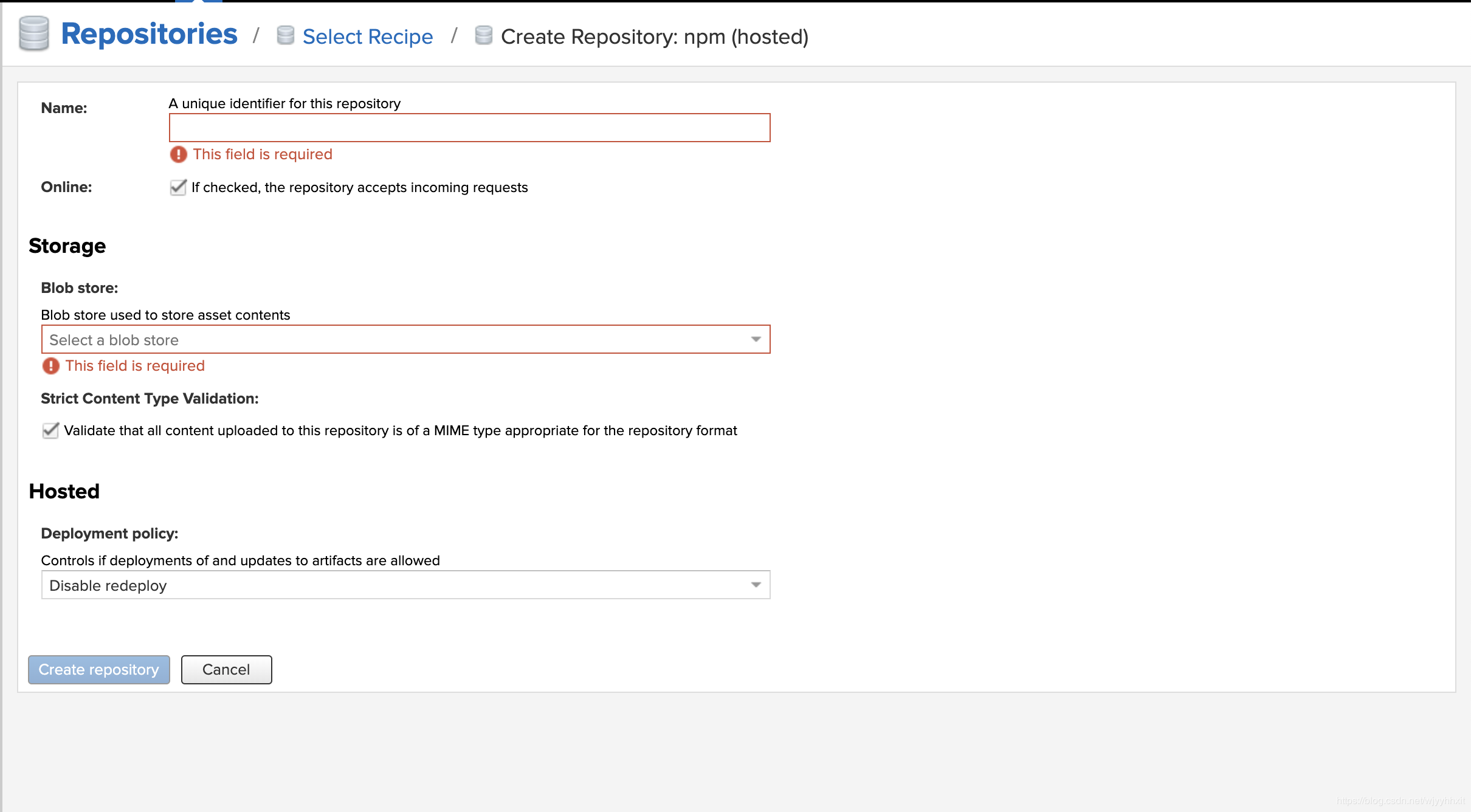
- 这里的
Blob Store最好选择为 npm 专属的- 如果没有需要在
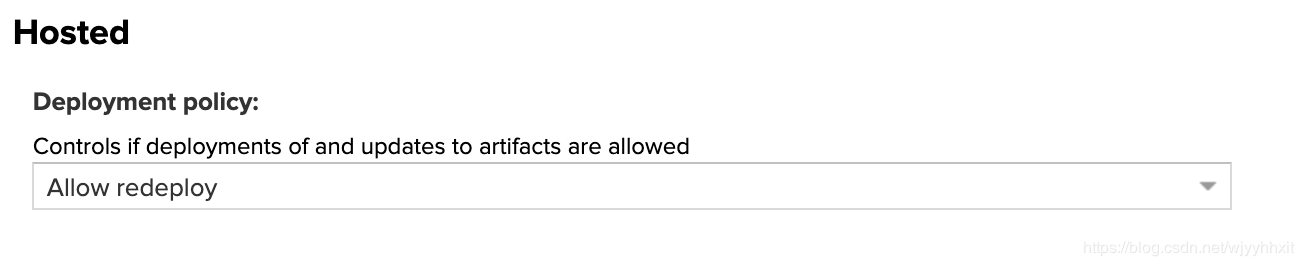
Blob Stores新建- 在 Hosted 选择:
Allow redeploy>- 点击
Create repository创建


配置 npm
查看仓库地址
在 Repositories 列表中选择刚刚建的 npm-hosted ,点击 copy 在弹出的弹框中可以看到仓库地址
配置仓库地址
在 npm 中配置仓库地址,执行命令:
npm config set registry 仓库地址验证配置是否正确
执行命令
npm config list添加 nexus 权限
在 Realms 菜单中,将 npm Bearer Token Realm 添加到 Active 中 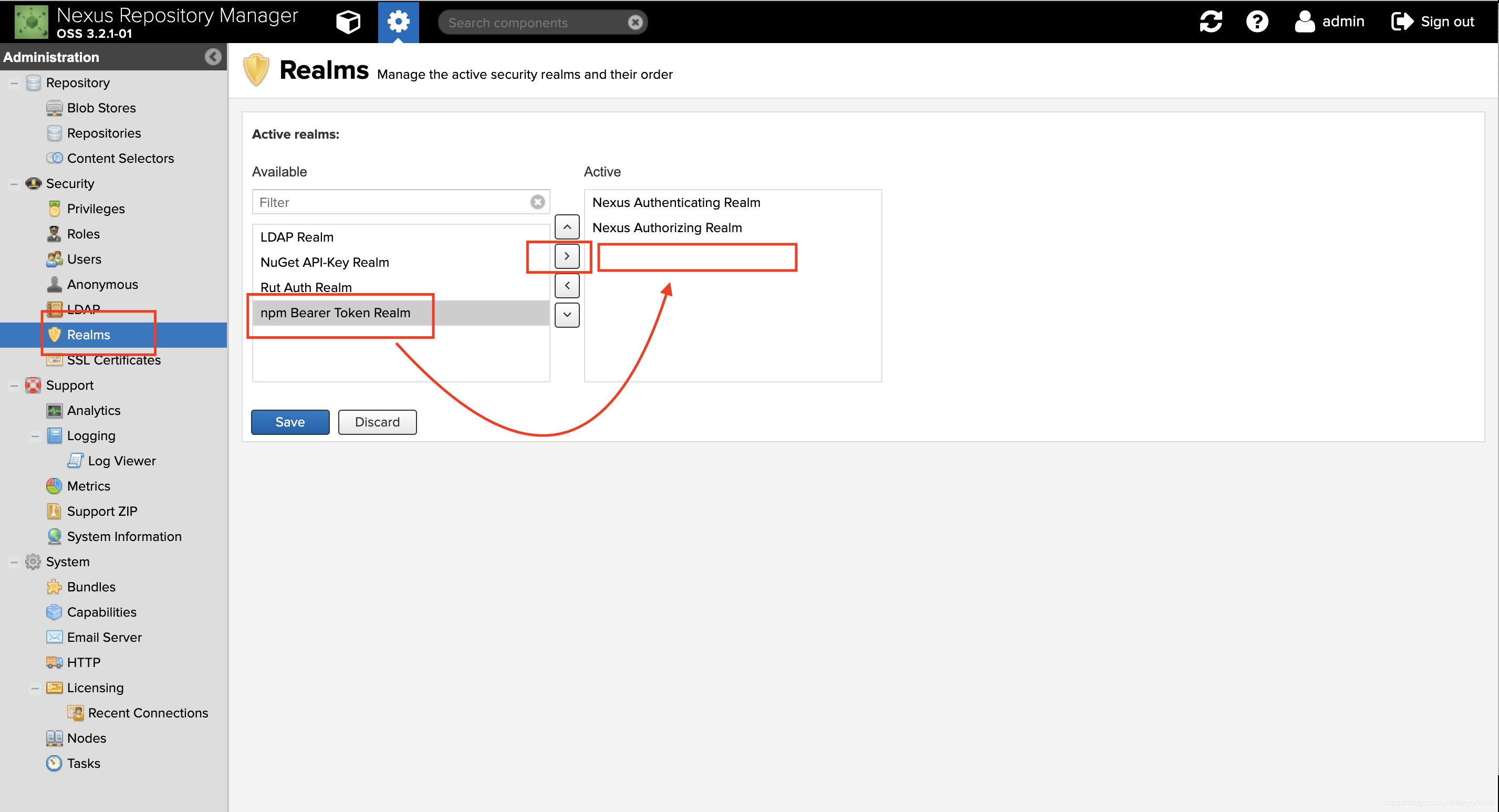
上传 nexus
新建一个 demo-test 项目
- 新建一个目录 demo-test,并切换到其中
mkdir demo-test && cd demo-test- 初始化一个项目
npm init然后一路回车,最后键入 y 即可
添加用户
npm adduser -registry 仓库地址npm adduser -registry http://xxx.xx.x.x:xxxx/repository/npm-hosted/
Username: admin
Password:
Email: (this IS public) demo-test@devops.com
Logged in as admin on http://xxx.xx.x.x:xxxx/repository/npm-hosted/.上传包
上传的包一定要确保根目录下有 package.json ,否则会报错。
第一种方式
执行命令:
npm publish -registry 仓库地址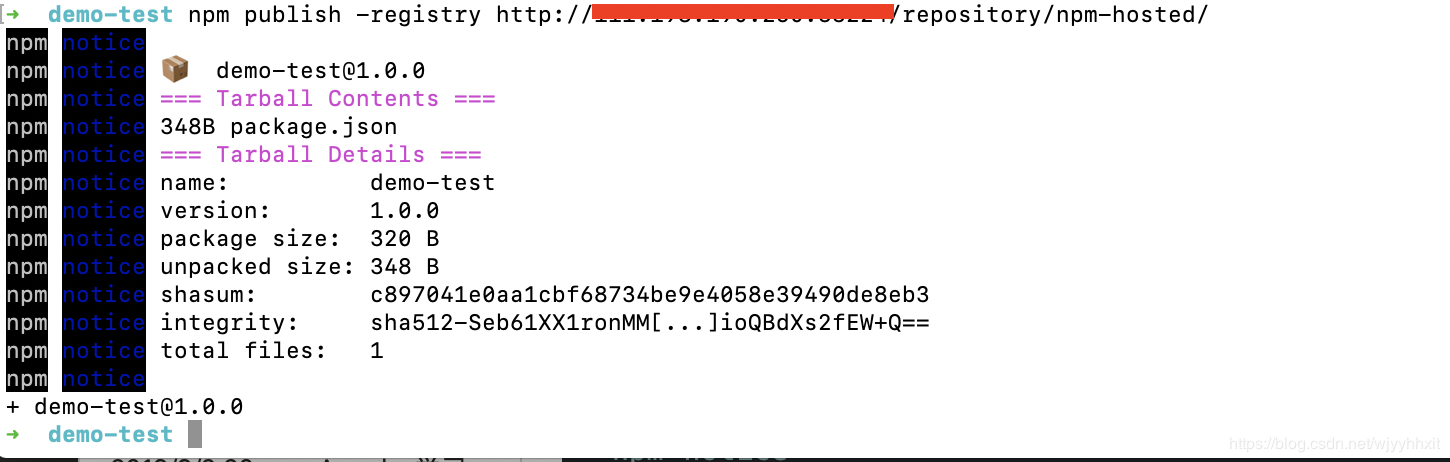
demo-test npm publish -registry http://xx.xx.xx.xx:xxx/repository/npm-hosted/
npm notice
npm notice 📦  demo-test@1.0.0
npm notice === Tarball Contents ===
npm notice 348B package.json
npm notice === Tarball Details ===
npm notice name:          demo-test
npm notice version:       1.0.0
npm notice package size:  320 B
npm notice unpacked size: 348 B
npm notice shasum:        c897041e0aa1cbf68734be9e4058e39490de8eb3
npm notice integrity:     sha512-Seb61XX1ronMM[...]ioQBdXs2fEW+Q==
npm notice total files:   1
npm notice
+ demo-test@1.0.0
➜ demo-test此时即上传成功
第二种方式
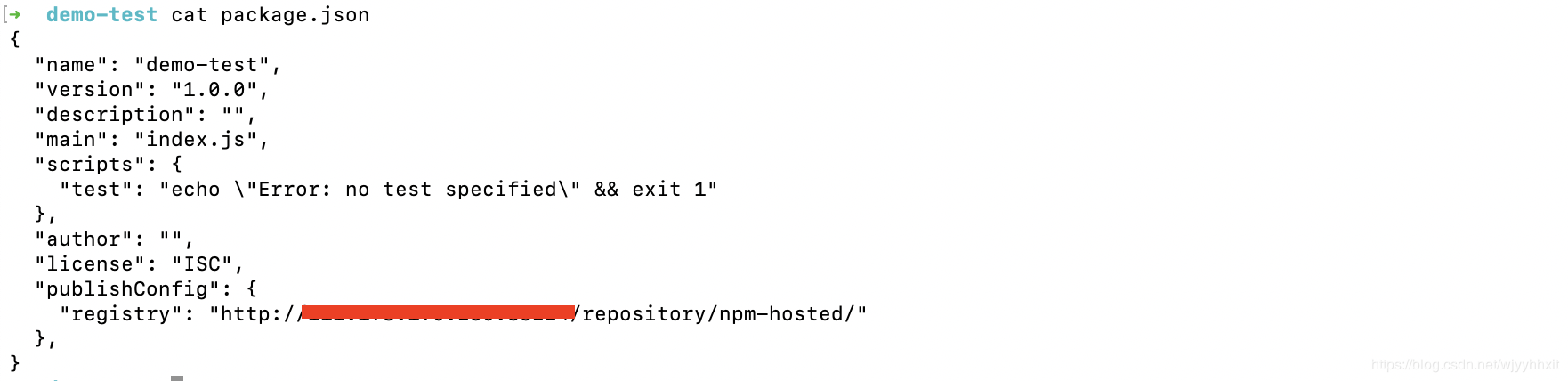
在 package.json 中添加
"publishConfig": {
    "registry": "仓库地址"
},
然后执行
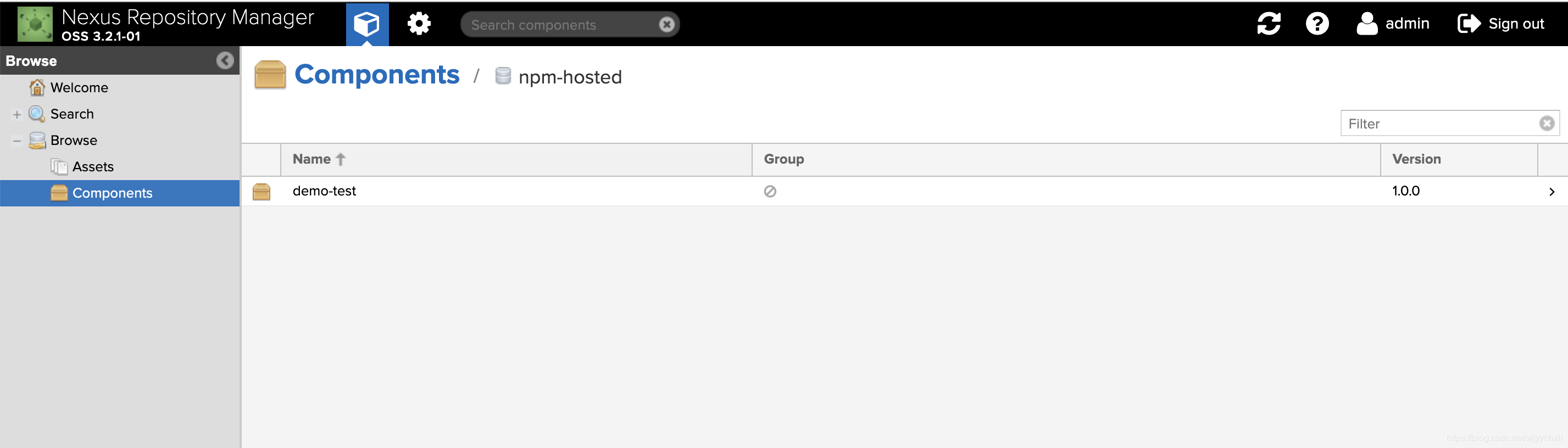
npm publish验证是否上传成功